Introducing the Agentic Compute Platform
Run digital teams of AI agents with persistent computers, project memory, multimodal skills, and production resources.
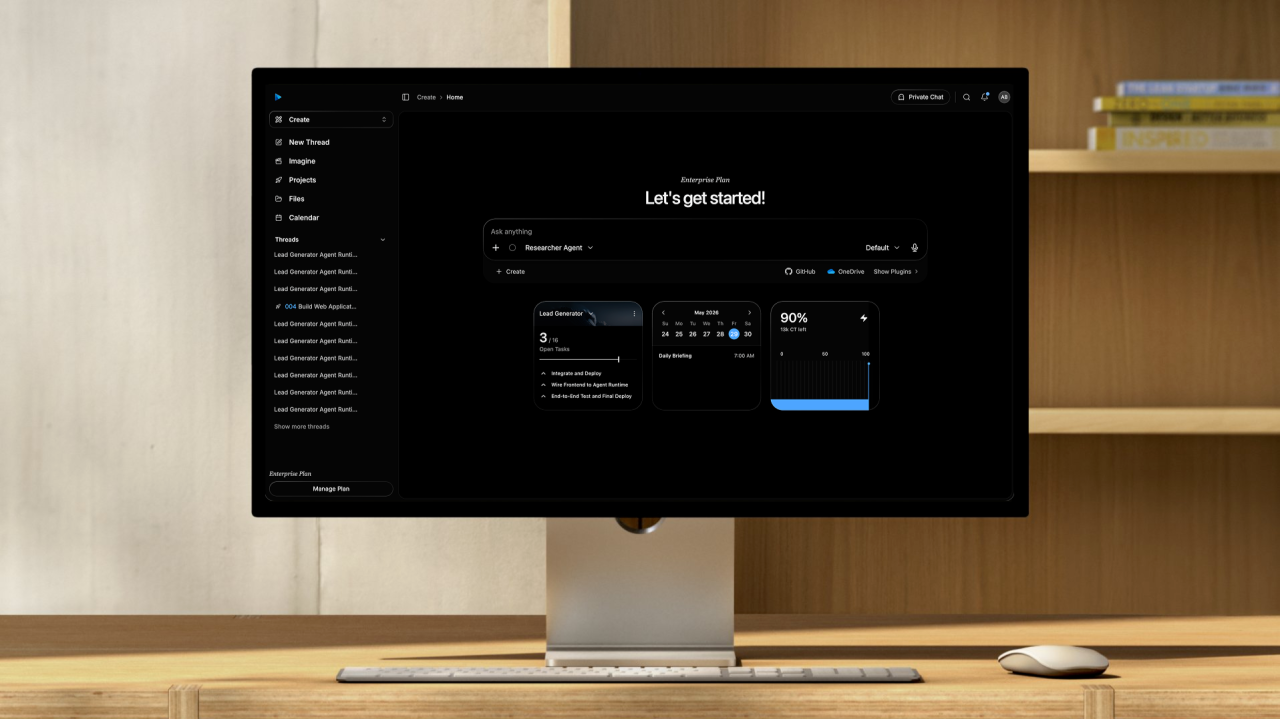
Run digital teams of AI agents
The most interesting shift in AI is not that models can answer questions. It is that many capabilities can now be composed into systems that keep working.
Language, code, browsing, files, images, video, charts, databases, APIs, schedules, webhooks, payments, and deployment tools are no longer separate pieces that always need to be manually stitched together by a human.
When these capabilities live inside persistent workspaces and run on real computers, AI agents can operate over longer time horizons. They can plan, execute, review, deploy, monitor, and continue. They can create research reports with complex charts, generate campaign images and videos, publish web apps, deploy functions, update databases, and return to the same project context days later.
That is the idea behind the Agentic Compute Platform.
Computer Agents is our implementation of ACP: a platform for running digital teams of AI agents. Each agent can get a real cloud computer, project tasks, memory, files, skills, connectors, subagents, hosted resources, and deployment tools so it can research, build, operate, and improve products and workflows from start to finish.
The goal is to give agents an operating environment where work can accumulate, compound, and become real output.
This is the next step after the old aiOS concept. aiOS was about giving AI an operating surface. ACP is about giving AI persistent workspaces, production resources, and the coordination layer required for real execution.
The unlock is combination
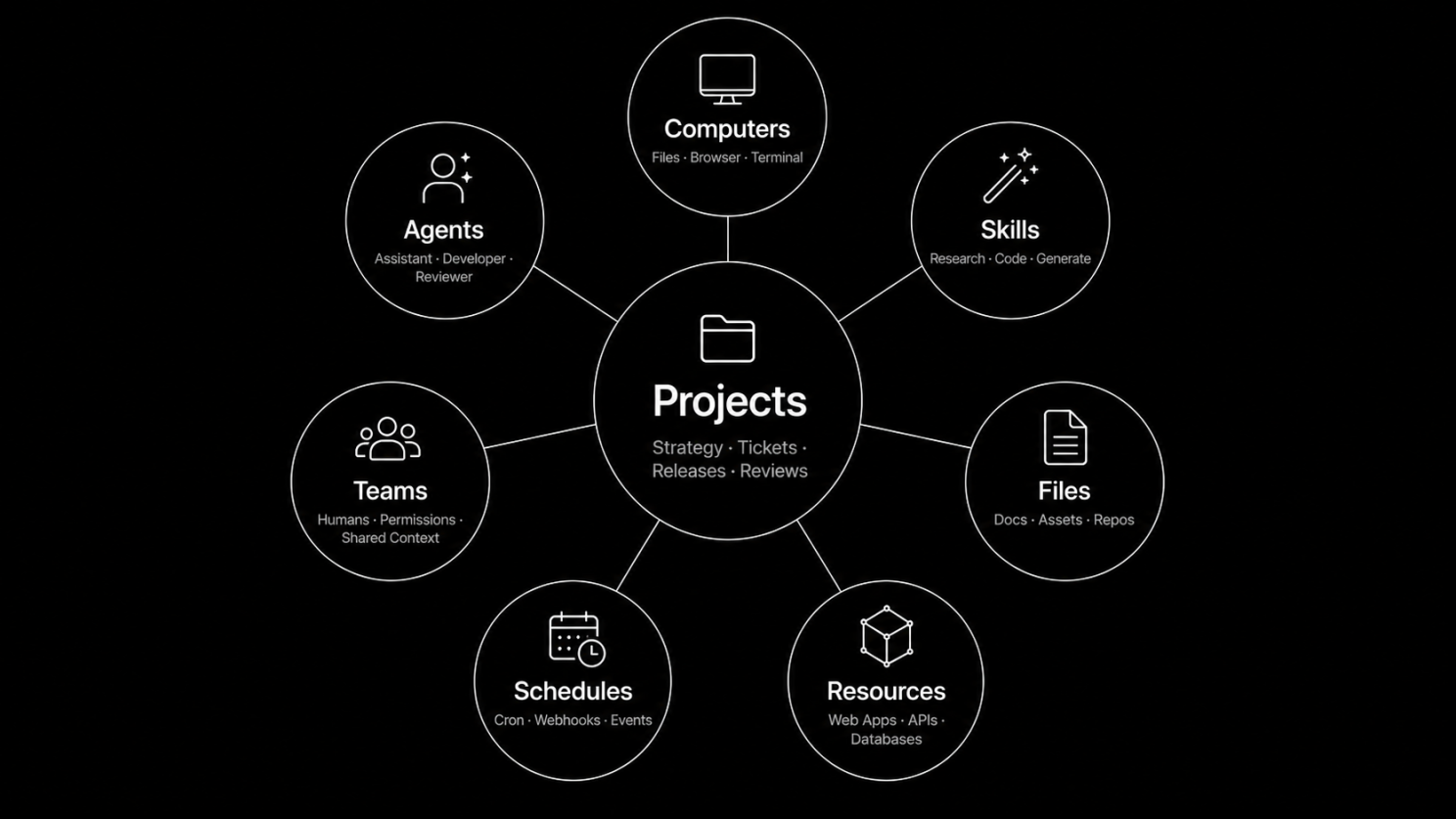
The power of ACP comes from combining modalities and capabilities that usually live in separate products.
An agent can use text reasoning to plan a project, browser automation to gather information, code execution to process data, image generation to create assets, video generation to produce media, spreadsheets and charts to explain results, and deployment tools to publish the final artifact.
It can do this inside a workspace that remembers:
- the project strategy
- the backlog and current ticket state
- previous threads and run summaries
- files, repositories, uploads, and generated assets
- deployed web apps, APIs, functions, databases, auth, secrets, and payments
- comments, reviewers, schedules, and human-owned tasks
- which agents, computers, models, skills, and connectors are available
That combination makes the system feel less like a single assistant and more like a digital team.
One agent can research. Another can implement. Another can review. Mission Control can plan the next milestone. A human can own blocked tasks that require judgment, credentials, approval, or domain knowledge. The project keeps the work connected.
What is an Agentic Compute Platform?
An Agentic Compute Platform is the infrastructure layer that lets AI agents execute work inside persistent, inspectable, governable environments.
In Computer Agents, that operating model is built around six core primitives:
- Threads: persistent execution histories where agents stream progress, call tools, create artifacts, and continue work over time.
- Computers: cloud machines with files, browser, terminal, runtime state, GUI access, snapshots, and forks.
- Projects: structured workspaces with strategy, tickets, releases, comments, review state, resources, schedules, and mission control.
- Skills: reusable capabilities that agents can invoke for browsing, coding, research, image and video generation, deployment, file operations, and domain-specific work.
- Resources: production deployables such as web apps, functions, APIs, databases, auth modules, secrets, payments, and agent runtimes.
- Teams and APIs: collaboration, permissions, shared resources, and SDKs so humans and applications can operate agents programmatically.
The result is a workspace where an agent can receive a goal, inspect the current state, decide what to do next, execute in a real environment, deploy outputs, verify the result, and leave the project in a better state than it found it.
Every agent gets a real computer
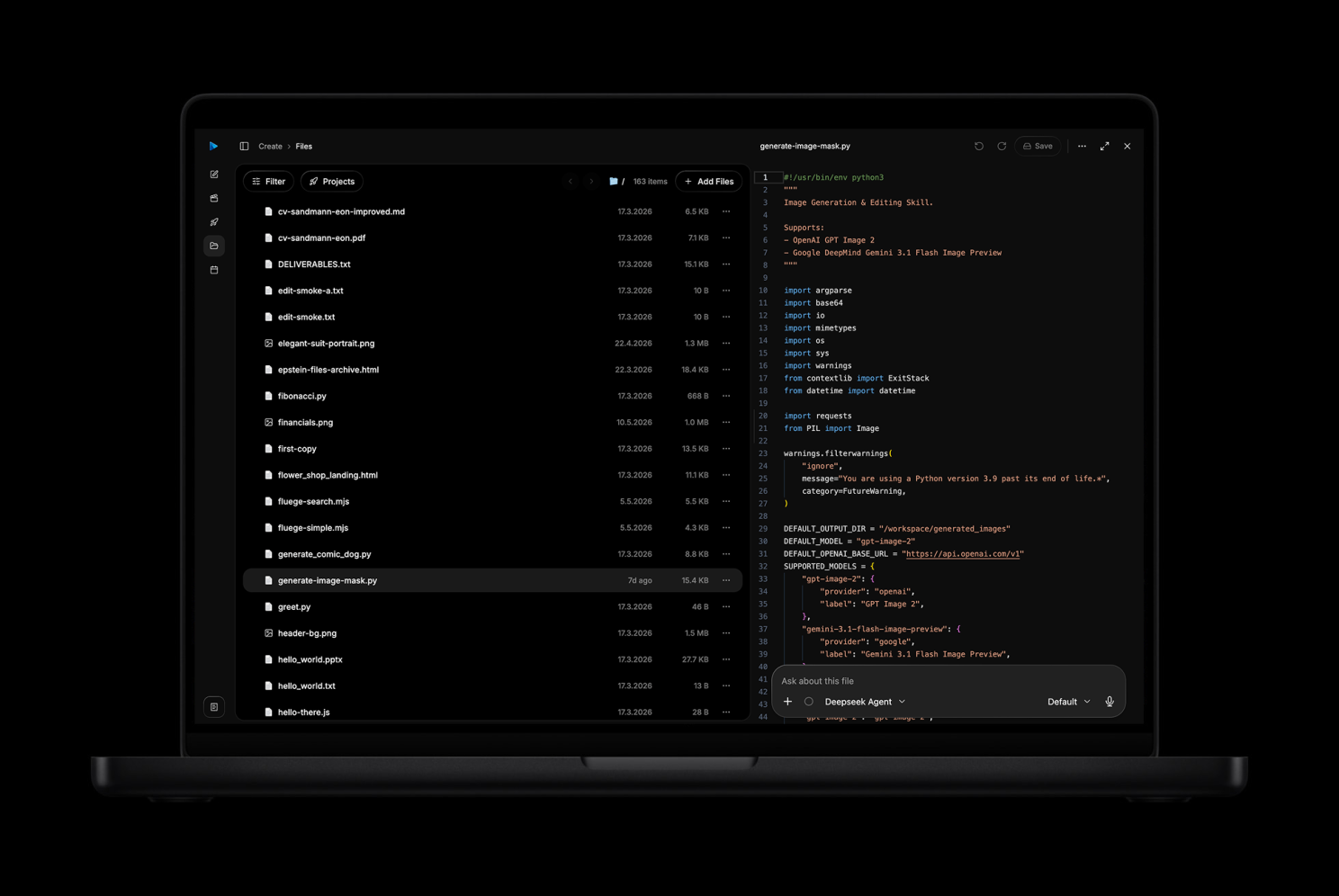
The foundation of ACP is simple: agents need computers.
Not a simulated scratchpad. Not a temporary shell that disappears. A real persistent cloud computer with a workspace, files, browser, terminal, packages, and runtime state.
That means an agent can:
- browse the web and inspect live pages
- run code and install packages
- edit files and repositories
- store generated outputs
- use GUI workflows when needed
- continue from previous state
- fork environments for experiments
- attach files to new threads
- work with computers shared by a team
This is especially important for long-running work. A project does not fit into one model call. It often needs several runs, different agents, review loops, file changes, external research, deployments, and follow-up tasks.
With persistent computers, the agent does not start over each time. It can return to the same workspace and continue.
Projects turn prompts into real work
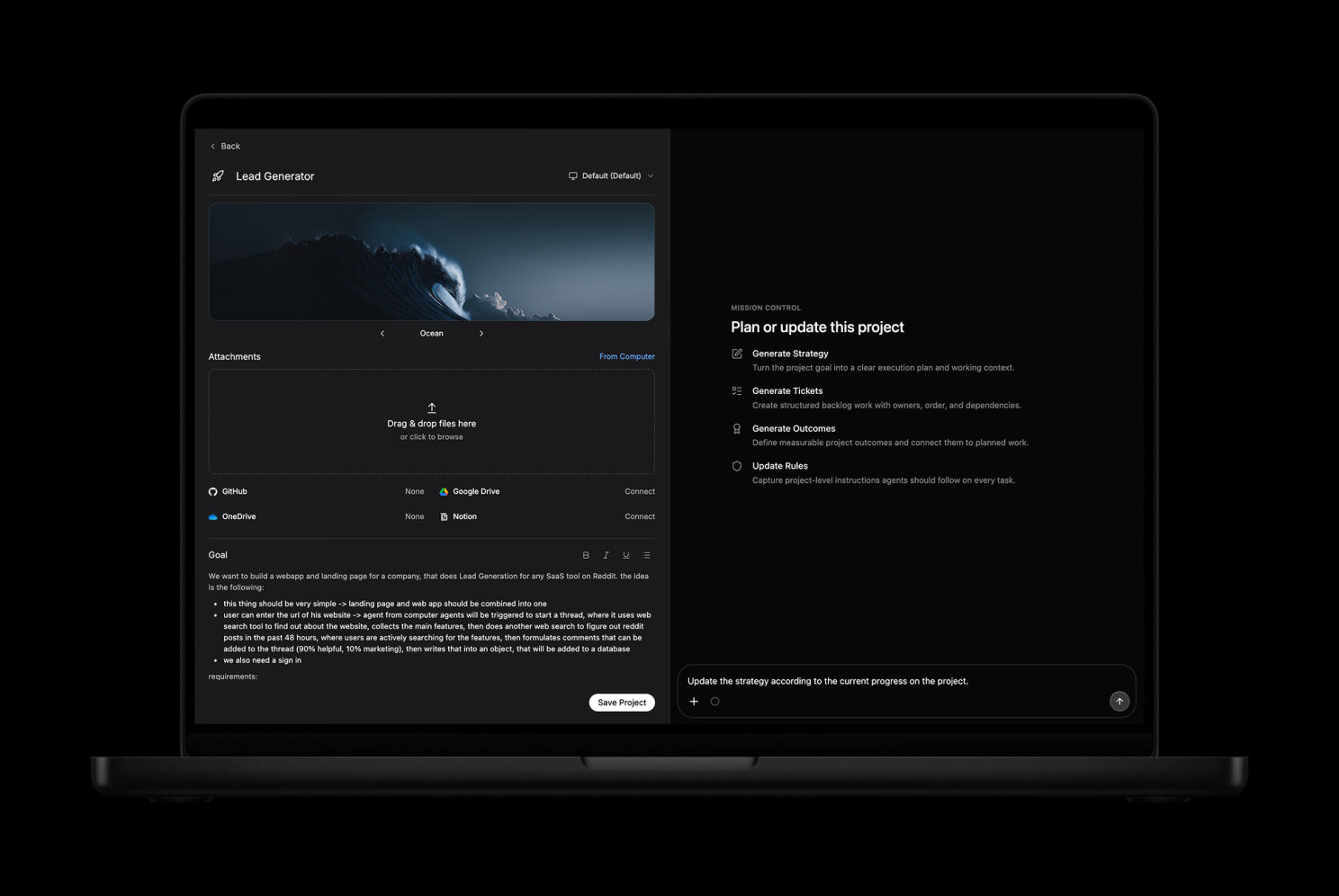
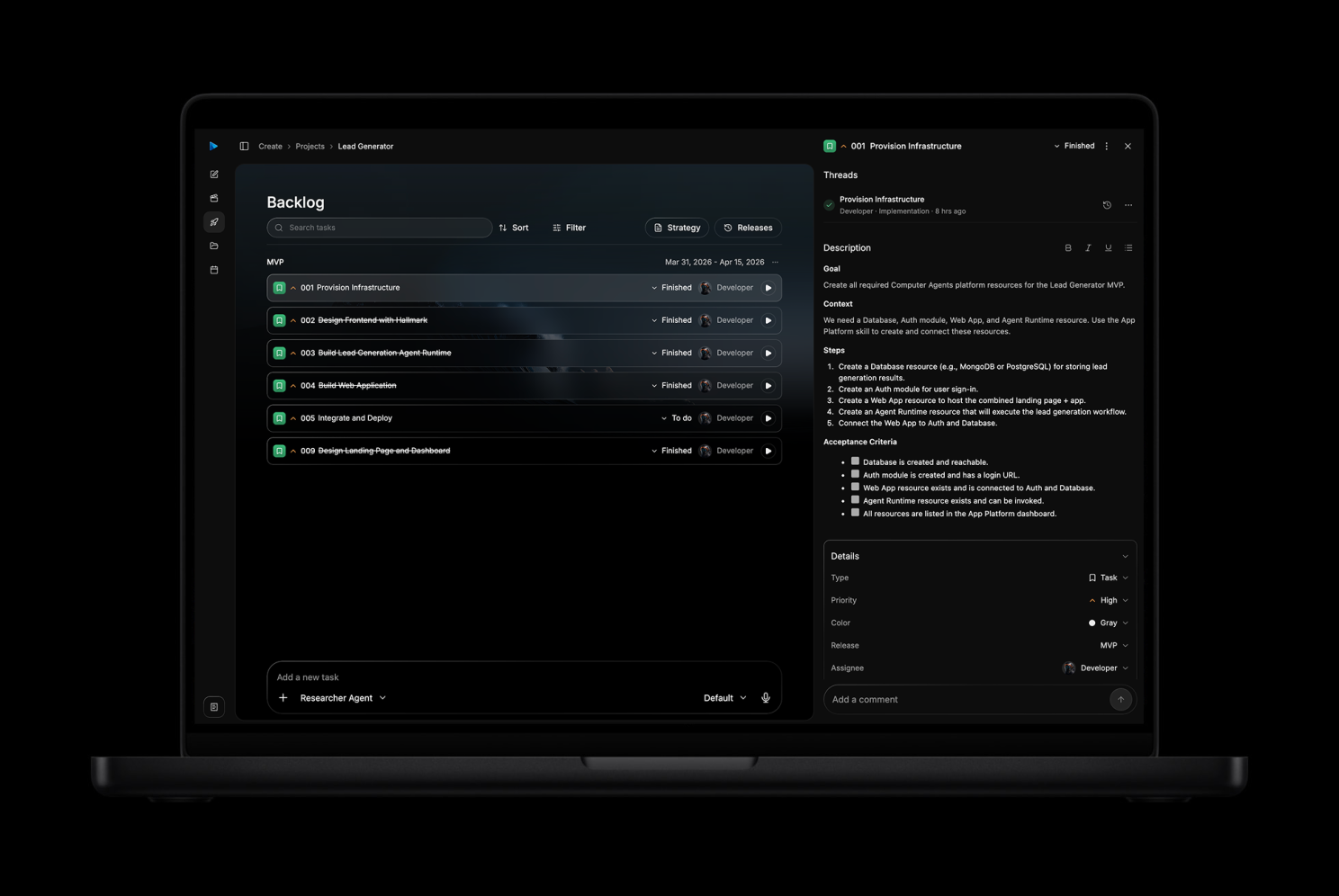
A prompt is a starting point. A project is the operating context.
In Computer Agents, projects give agents the surrounding plan they need to finish work:
- project strategy
- releases and milestones
- backlog tickets
- board state
- assignees and reviewers
- subtasks and dependencies
- comments and review feedback
- linked implementation threads
- project files and attachments
- deployed resources
- scheduled runs and triggers
This matters because complex work usually fails at the handoff points: planning, sequencing, context transfer, review, deployment, and follow-through.
ACP treats those as first-class objects.
Mission Control can analyze a project, create a strategy, generate tickets, group work into releases, add subtasks, identify missing resources, assign work to agents or humans, and later return to clean up the project as new information appears.
Agents can then work ticket by ticket. They can move work into review, request changes, update task state, create follow-up work, and keep implementation threads connected to the project context.
This is how agents become useful on medium-complex and long-running product work. They need a backlog. They need acceptance criteria. They need review loops. They need to know what has already happened and what should happen next.
Agents can ship resources, not just suggestions
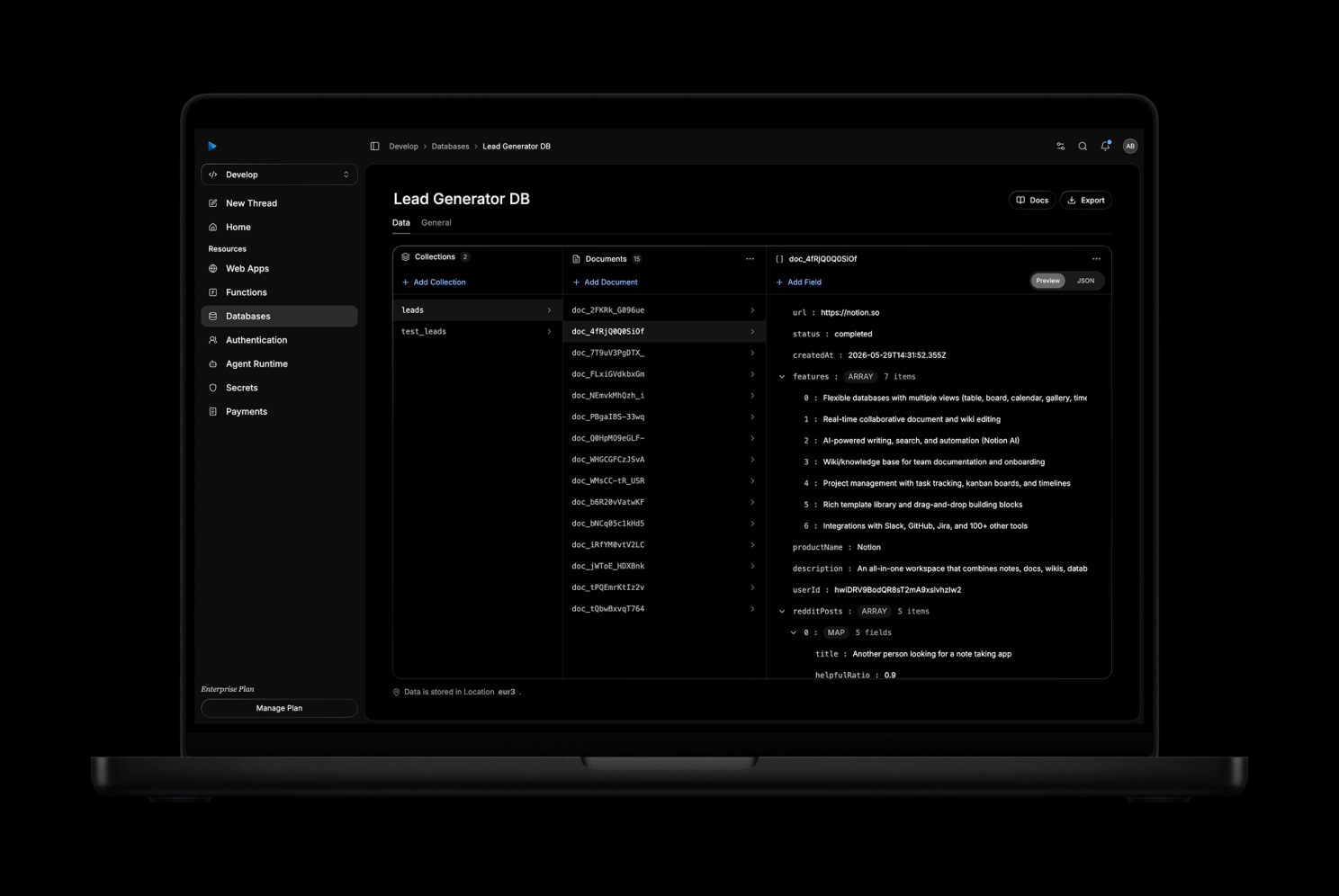
One of the clearest differences between ACP and a normal AI assistant is that Computer Agents can create and operate real deployed resources.
Inside the same workspace where the project plan lives, agents and humans can create:
- Web Apps for prototypes, dashboards, internal tools, portals, and product surfaces
- Functions and APIs for business logic, webhooks, integrations, background jobs, and automations
- Databases for structured application data
- Authentication for secure user sign-up and access control
- Secrets for credentials that apps and functions can consume without exposing them
- Payments for Stripe-backed monetization flows
- Agent Runtimes for reusable agent-powered services
That means a user can ask for something like:
Build an analytics dashboard for my business.
And the work can become more than a mockup. The agent can create a project, plan the system, generate tasks, create a web app, add a database, deploy functions, connect auth, store secrets, test the deployed result, and leave the artifacts linked to the project.
The same is true for marketing campaigns, research reports, finance analysis, product prototypes, customer support tools, image and video generation workflows, or internal operations.
The deliverable can live in the platform.
Skills make agents operational
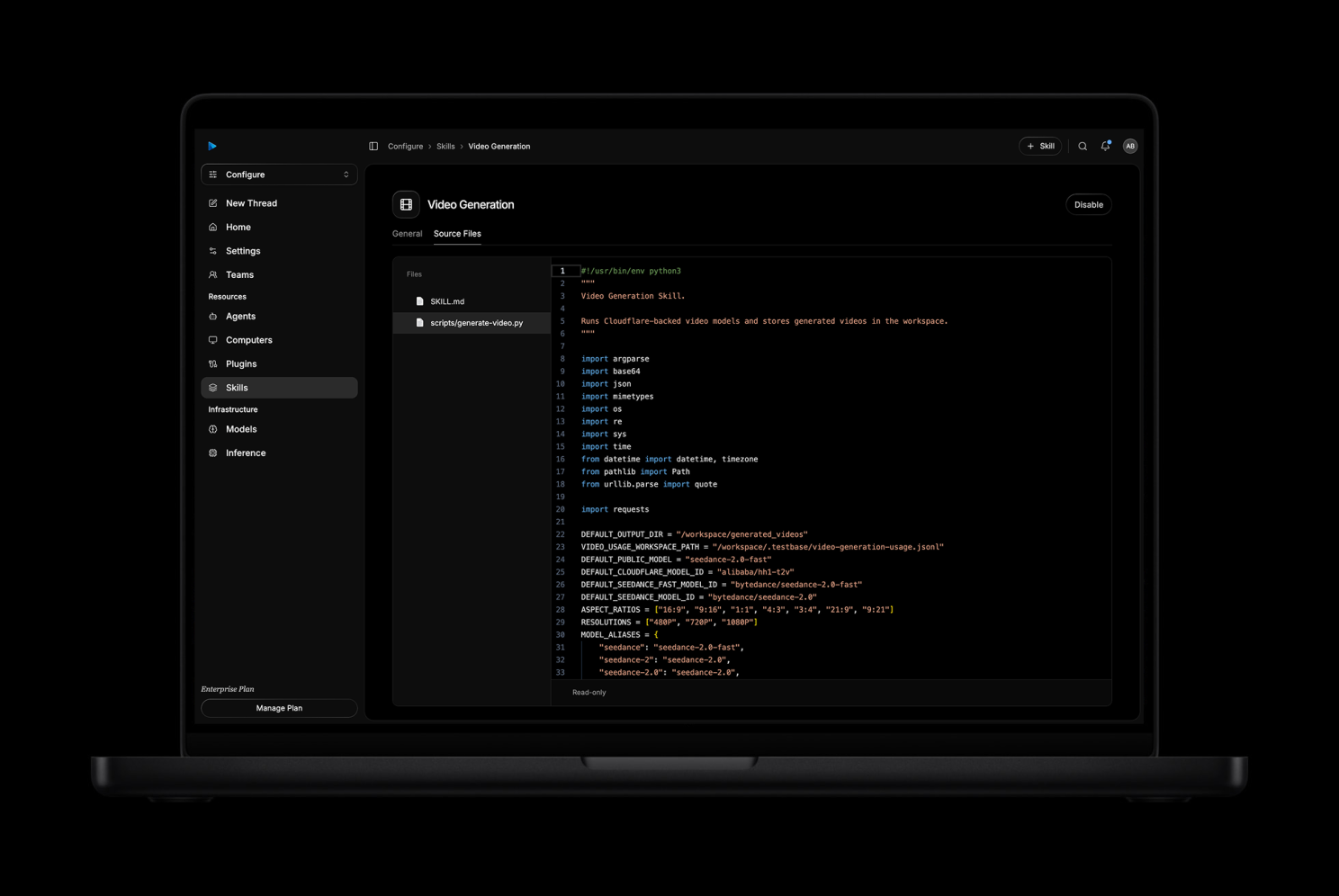
Skills are how agents learn to do specialized work.
Computer Agents includes system skills for common capabilities and supports custom skills for repeatable workflows. Skills can guide agents through browsing, image understanding, image generation, coding, research, file operations, deployment, integrations, and domain-specific actions.
This matters because an agent should not rediscover every workflow from scratch.
A good skill can encode:
- when to use a capability
- which commands or APIs to call
- what output format to produce
- how to verify the result
- how to avoid unsafe or irrelevant behavior
- how to make the workflow repeatable across agents
For example, a marketing team might create reusable skills for brand voice, campaign calendars, SEO audits, competitor research, and ad concept generation. A product team might create skills for release notes, bug triage, deployment checks, and documentation updates.
The more operational context the platform can provide, the more reliably the agent can act.
Imagine mode brings creative work into ACP
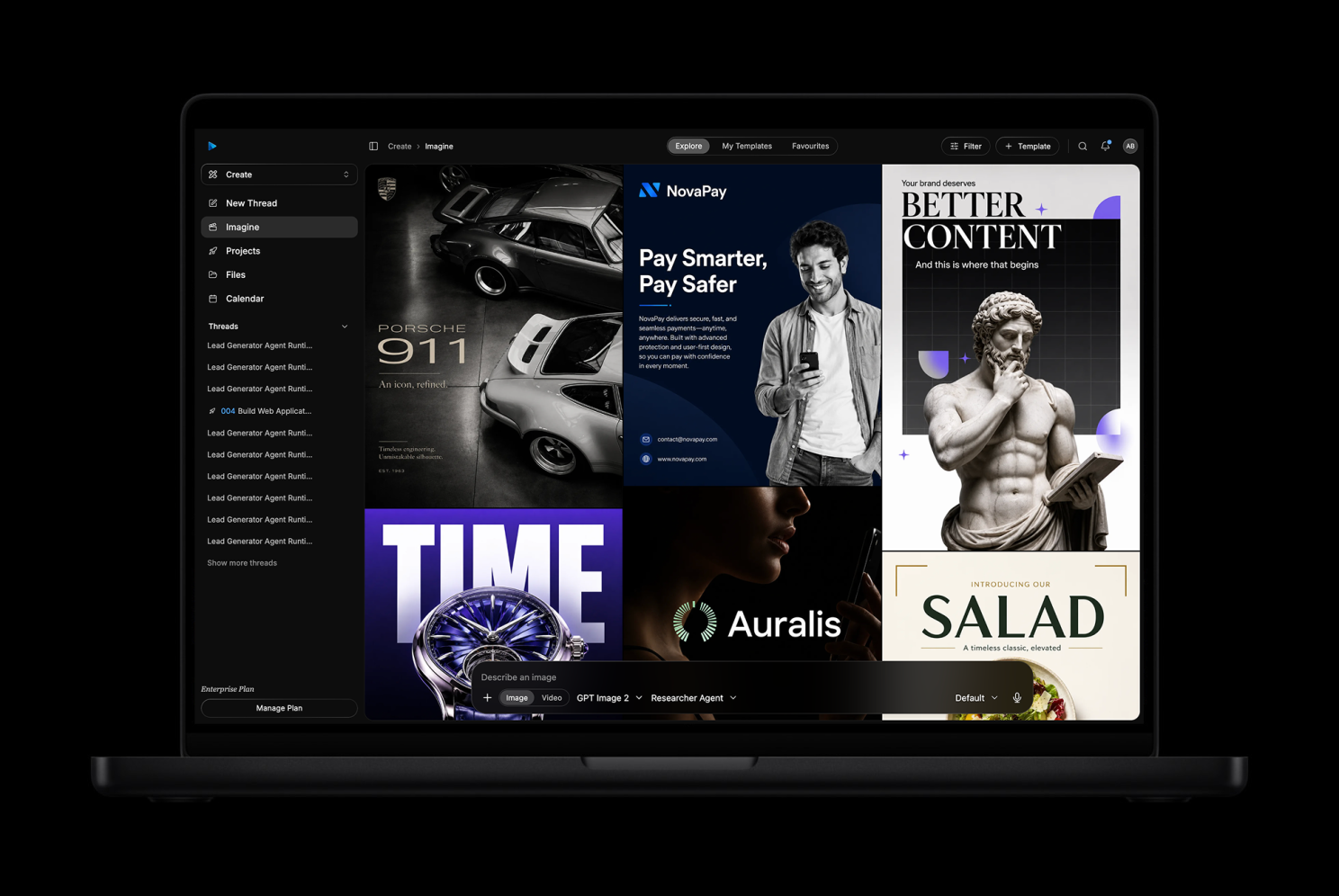
Agentic work is not only code and infrastructure.
Computer Agents also includes Imagine workflows for image and video generation. Users can start from templates, attach context, select projects, configure style or aspect ratio, and generate visual assets through the same agentic interface.
This opens workflows like:
- campaign images
- fashion concepts
- product ads
- social media assets
- infographics
- video templates
- brand explorations
- reference-based image generation
The important part is that these assets can become part of the broader workspace. They can be attached to threads, connected to projects, reused in marketing pages, stored in computers, or used by agents in follow-up work.
Creative output becomes part of the operating context instead of living in a disconnected tool.
Teams can work with agents together
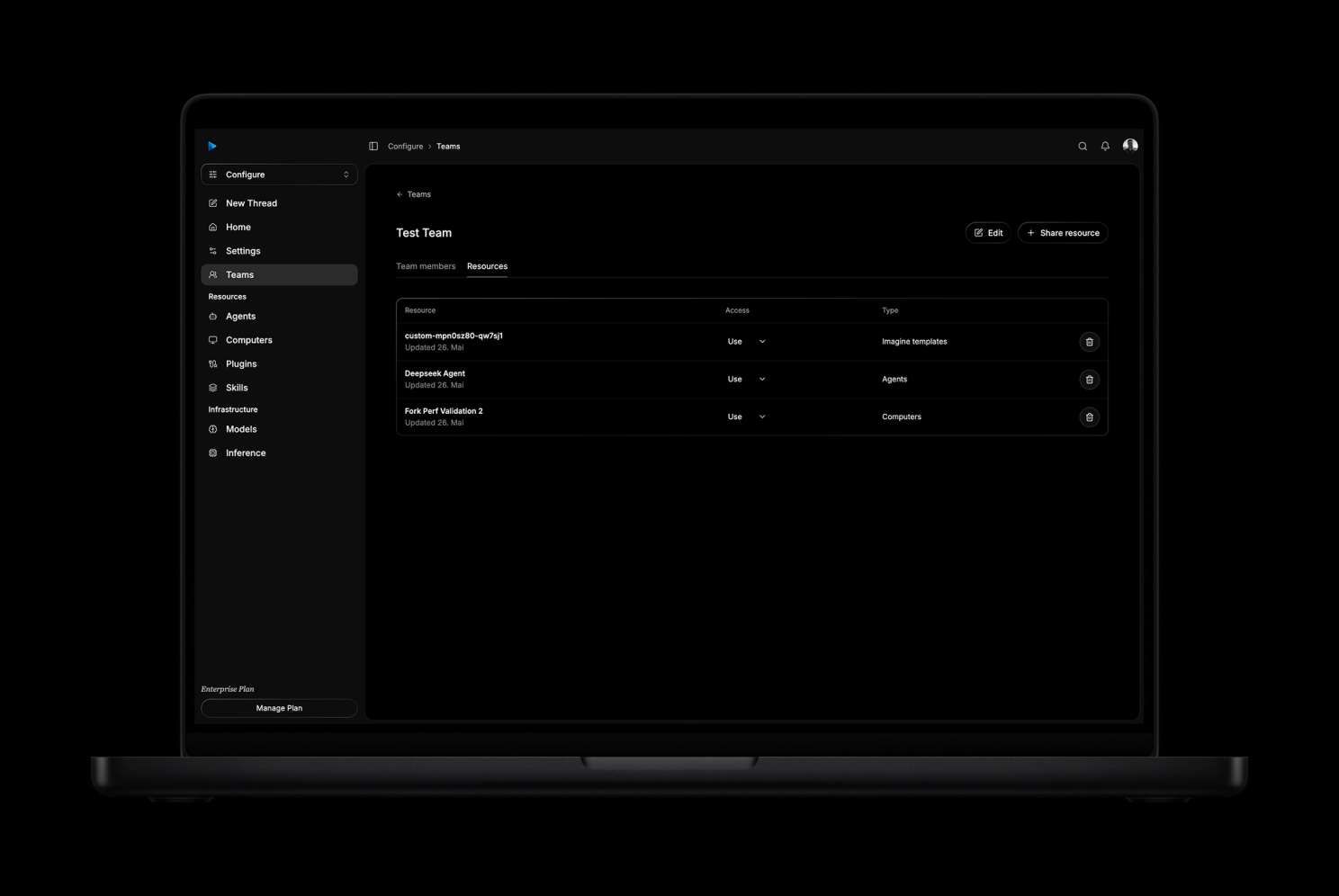
Real work is collaborative.
ACP is designed so humans can work together with agents, not just individually prompt them.
Teams can invite members, assign permission levels, accept invitations through the notification center, and share resources such as:
- agents
- computers and file workspaces
- projects
- Imagine templates
A key design principle is that compute cost should be charged to the person running the work, not necessarily the person who created the shared resource. If I use a teammate's shared agent or computer, my usage should count against my account.
That makes sharing resources practical without blurring cost accountability.
Developers can build on ACP
Computer Agents is not only a user interface. It is also a platform for developers.
The TypeScript and Python SDKs let developers create threads, run agents, manage computers, attach files, create projects, work with tasks, deploy resources, use secrets, invoke functions, and embed agentic workflows into their own products.
This means teams can use ACP in three ways:
- Through the platform UI for humans coordinating work with agents.
- Through agents by asking them to create, deploy, inspect, and operate resources.
- Through APIs and SDKs to build ACP-powered products and internal tools.
That last point matters a lot.
The future of agent platforms is not just "come to our dashboard." It is also "bring agentic compute into your application."
What combination unlocks
The most powerful ACP workflows do not use one capability in isolation. They combine many capabilities into one continuous process.
From research to an executive report
An agent team can start with a broad question, browse the web, collect sources, inspect files, run analysis, create charts, generate supporting visuals, write a structured report, save the artifact to the project, and schedule a follow-up run when new data appears.
The deliverable is not just a summary. It can be a living research workspace with source files, generated charts, image assets, comments, review state, and future triggers.
From product idea to deployed application
A user can describe an app idea. Mission Control can turn it into strategy, releases, and tickets. Developer agents can create the web app, functions, database, authentication, secrets, and deployment resources. Reviewer agents can inspect the output and request changes. The result can be a live application with implementation history attached.
The project becomes the memory of the build.
From marketing brief to campaign system
A marketing team can give agents a campaign brief, brand assets, audience notes, and previous work. Agents can research competitors, generate campaign images and videos, create landing pages, produce reports, build dashboards, and publish assets into the same workspace.
The work can span copy, design, media, analytics, and web deployment without constantly switching tools or losing context.
From operations issue to recurring automation
An operations team can ask agents to inspect logs, query data, write a function, connect a webhook, deploy a dashboard, and schedule recurring checks. If something changes later, the same project can receive the event, start a thread, and continue from the existing context.
This is the core idea: ACP lets agents act across time, modalities, and systems.
What users can do with ACP today
Here are a few examples of what Computer Agents is designed to support.
Build and deploy an application
Start with a short idea. Mission Control turns it into a project strategy and backlog. Agents create tasks, implement the app, deploy web apps and functions, connect a database and auth, then move work into review.
Run technical or market research
Ask agents to research a topic, browse the web, collect sources, create structured reports, generate charts, and save the output into a project workspace.
Generate marketing assets
Use Imagine templates to create campaign visuals, product ads, social assets, infographics, or videos, then keep the assets connected to the project and files.
Automate recurring workflows
Schedule agents to run reports, monitor data, process inbound emails, react to webhooks, or update deployed resources when something changes.
Build internal tools
Deploy dashboards, CRUD tools, APIs, data processors, and workflows that connect to files, databases, functions, and external services.
Coordinate human and agent teams
Share agents, computers, projects, and templates across a team. Assign work, review outputs, and keep accountability visible.
What makes ACP different
Many AI products focus on the model. ACP focuses on the operating environment around the model.
The model matters. But for real work, the surrounding system matters just as much.
| Single-purpose AI tool | Agentic Compute Platform |
|---|---|
| Optimized for one capability | Composes many capabilities in one workspace |
| Output often lives outside the tool | Files, tasks, resources, and deployments stay connected |
| Context must be rebuilt manually | Persistent computers and project state carry context forward |
| Work is usually single-session | Threads, schedules, triggers, and recurring workflows support longer time horizons |
| Planning and execution are separate | Strategy, backlog, releases, comments, reviews, and runs live together |
| Deployment requires a separate stack | Web apps, functions, APIs, databases, auth, secrets, and payments are workspace resources |
| Collaboration is hard to model | Teams, permissions, shared resources, and usage attribution are first-class |
| The model output is the endpoint | The finished artifact, system, or workflow is the endpoint |
The core belief is simple:
If AI agents are going to do meaningful work, they need the same things humans need to do meaningful work: context, tools, memory, files, computers, resources, feedback, review, and a place where the work can accumulate.
From aiOS to Agentic Compute
The old aiOS idea was a useful direction: make AI feel like an operating system.
But the more we worked with real agent workflows, the clearer the next step became. The interface is only one part of the problem. The harder and more valuable part is durable execution across many capabilities.
An operating system for agents needs to answer practical questions:
- Where does the agent work?
- Where do files live?
- How does the agent continue tomorrow?
- How are tasks planned and reviewed?
- How are resources deployed?
- How are secrets handled?
- How do teams share context?
- How do we know what happened?
- How do we prevent costs and permissions from becoming invisible?
- How do applications build on top of this?
That is why we moved from thinking about aiOS to building ACP.
ACP is not just a shell around a model. It is a compute platform where digital teams can plan, create, deploy, observe, and continue.
What comes next
We are still early in the transition from AI assistants to agentic compute.
The next phase is about making agents more autonomous without making them less inspectable. That means stronger project management, clearer review loops, better resource deployment, richer team permissions, more reliable skills, deeper integrations, and better observability across every run.
The goal is not to make humans disappear from work.
The goal is to let humans define intent, standards, review, strategy, and judgment while agents handle more of the operational execution in a workspace that can actually preserve and improve the work over time.
That is what we are building with Computer Agents.
Closing
We are introducing the Agentic Compute Platform because the next generation of AI products will be defined by systems that combine reasoning, tools, memory, multimodal generation, and deployment into one persistent operating model.
It will be defined by agents that can operate in persistent environments, collaborate with humans, deploy real resources, and keep working after the conversation ends.
If you are building products, workflows, research systems, internal tools, automations, or agent-powered applications, ACP is designed to give your agents the context and compute they need to finish the work.
Computer Agents gives every agent a computer, a plan, and the tools to ship.
Ready to get started?
Try Computer Agents today and experience the future of AI-powered automation.
Get Started