Introducing computer agents for Mac.
The full power of cloud AI agents, native on your Mac. Drag files from your desktop, sync across every device, define cloud environments, and access everything via API.
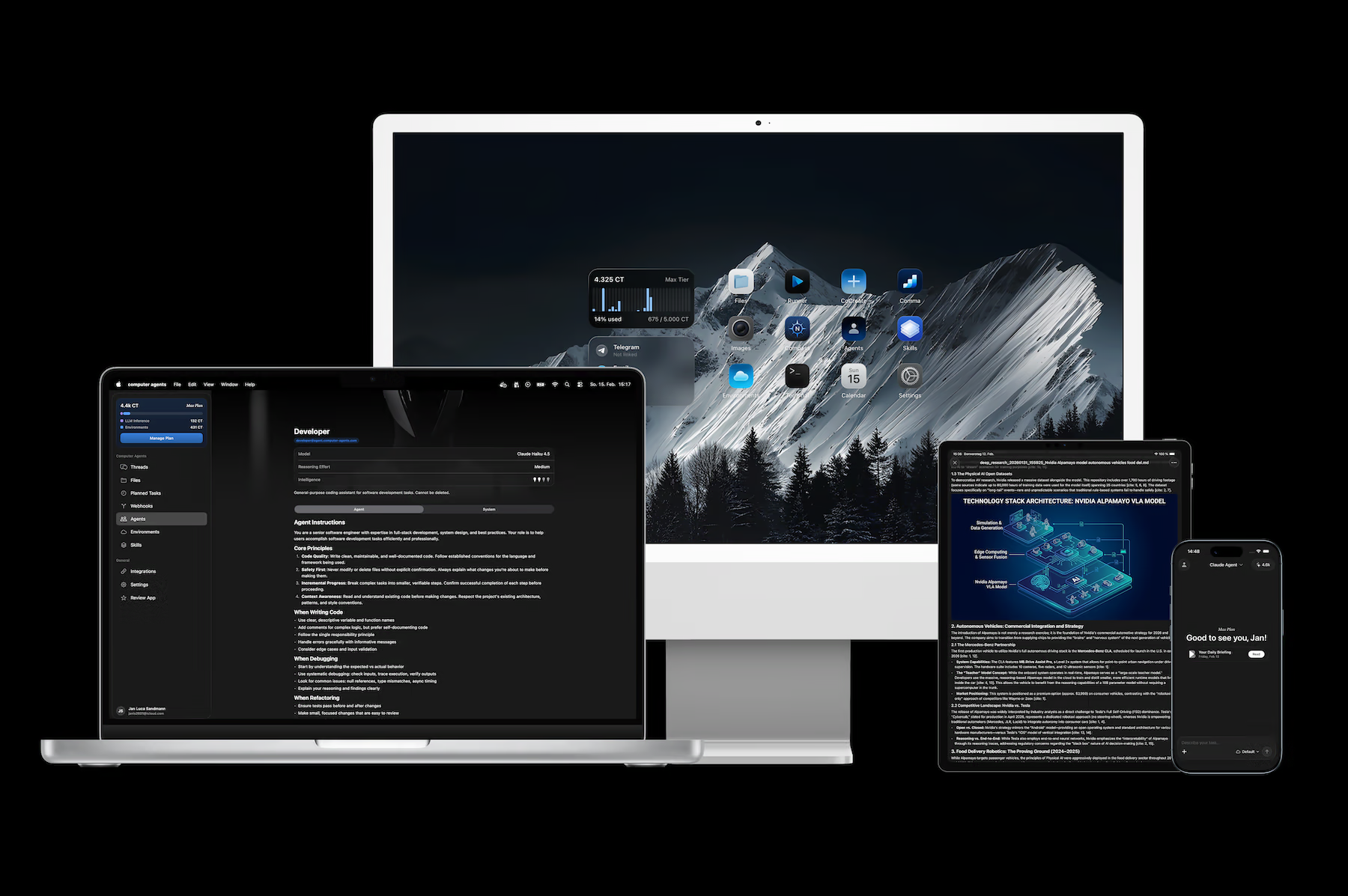
Your Desktop. Their Cloud Computer.
Computer Agents for Mac brings the full power of cloud AI agents to your desktop — native, fast, and deeply integrated with the platform you already use.
Every agent gets its own isolated cloud environment with persistent storage, custom runtimes, and installed tools — running 24/7, whether your laptop is open or not. The Mac app puts you in control: monitor progress in real time, review results, and drag files straight from Finder into any workspace.
Native Mac Experience
This isn't an Electron wrapper or a web view with a dock icon. Computer Agents is built for macOS — keyboard shortcuts, menu bar, native notifications, sidebar, toolbar, and drag & drop work exactly the way a Mac app should.
- Keyboard-first workflow — Navigate threads, switch environments, and trigger actions without touching the mouse
- Menu bar integration — Quick access to running agents and recent threads
- Native notifications — Get notified when an agent finishes a task or needs your input
- Drag & drop — Drop files from Finder directly into any conversation or workspace
Seamless Across Every Device
Start a task on your Mac, check progress from your iPhone, review results on your iPad, or manage everything from the web. Agents, files, and conversations stay in sync — always.
Your agents don't live on any single device. They run in the cloud, and every client — Mac, iPhone, iPad, web — is a window into the same workspace. Switch devices mid-conversation without losing context.
Built to Work While You Sleep
Schedule a research report for Monday at 6 AM. Deploy an agent that monitors competitors weekly. Set up a nightly build pipeline that runs tests and reports results before your morning coffee.
Your agents run in the cloud 24/7. They don't need your laptop open, and they don't need you watching. Wake up to results.
Cloud Runtime Environments
Define exactly what your agent needs — Python, Node.js, system packages, environment variables, encrypted secrets. Each environment is an isolated cloud computer, configured to your spec.
Environments persist across sessions. Your agent picks up exactly where it left off — same files, same tools, same state.
Full API Access
Everything you do in the app, you can do through the API. Create threads, manage environments, stream responses, and integrate agents directly into your own products.
TypeScript
Python
Skills & Integrations
Web search, image generation, deep research, GitHub, Notion, Google Drive, and custom MCP servers. Extend what your agents can do — without writing a line of code.
- Deep Research — Multi-step research with citations and source verification
- Web Search — Real-time information retrieval
- Image Generation — Create visual assets on demand
- MCP Servers — Connect to any tool via the Model Context Protocol
Why We Built This — And What's Next
There's a reason most AI tools still feel like tools. You open a tab, type a prompt, copy the output, paste it somewhere else. The AI lives in a box. It doesn't know what you're working on, and it certainly doesn't feel like part of your team.
We believe a great AI agent platform needs to meet people where they already are — on every device, inside every workflow, at every touchpoint. AI agents can only feel like teammates when they natively integrate into the platforms you already use. Not as an afterthought. Not as a browser tab you keep forgetting about. As something that's just there, the way a coworker is there — available when you need them, working in the background when you don't.
That's why we built the Mac app. Not because the web wasn't enough, but because the desktop is where deep work happens. Drag a file from Finder. Get a notification when your agent finishes. Cmd+Tab back to check results. The communication between you and your agents should feel as natural as messaging a colleague — and that means being native on the platform where you spend your hours.
Going forward, our development is focused on two things:
-
Deeper integrations on existing platforms. The Mac, iPhone, iPad, and web apps are live — but we're just getting started. Expect tighter OS-level integrations: Shortcuts, Widgets, share sheets, Spotlight, Siri, and more. Every interaction should be one step shorter than it was yesterday.
-
Touchpoints on new platforms. Your agents should be reachable everywhere you work. That means Chrome extensions, VS Code extensions, Slack bots, CLI tools, Raycast plugins, and integrations we haven't announced yet. Wherever you have a thought that needs an agent, one should be within reach.
The Mac app is the latest step in that direction. It won't be the last.
Download
Computer Agents for Mac is available now as a direct download and on the Mac App Store.
- Requires: macOS Sequoia 15.0 or later
- Supports: Apple Silicon and Intel Macs
Download for Mac or get it on the App Store.
Ready to get started?
Try Computer Agents today and experience the future of AI-powered automation.
Get Started