Customer Support
that Never Sleeps
Forward support emails to your AI agent. Upload your docs. Let it handle the rest—researching, responding, and resolving while you focus on your business.
The Problem with AI Support Tools
AI support tools promise automation—but deliver weeks of setup, complex integrations, and endless configuration. By the time you're live, you've spent months.
What if you could build an agent in 5 minutes and just forward it an email?
The aiOS Solution
Forward emails. Upload your docs. Your agent handles the rest—searching, researching, and responding autonomously.
Email Forwarding
Simply forward support emails to your agent's address. The agent processes the inquiry and replies directly to the customer.
Upload Your Docs
Upload product documentation, FAQs, and policies to your agent's filebase. The agent references these files to provide accurate answers.
Web Search & Research
When docs aren't enough, prompt your agent to search the web or do deep research to find the right answer.
Always Up-to-Date
Update your documentation anytime. The agent instantly uses the latest information—no retraining required.
From Inbox to Resolution in Minutes
Forward the email
Customer emails your support address. You forward it to your agent's email—or set up auto-forwarding.
Agent searches your docs
The agent reads the inquiry and searches your uploaded documentation for the relevant answer.
Agent researches if needed
If the docs don't cover it, the agent can search the web or do deep research to find the answer.
Customer gets a reply
The agent sends a personalized response directly to the customer from its own email address.
Simple Setup, Powerful Results
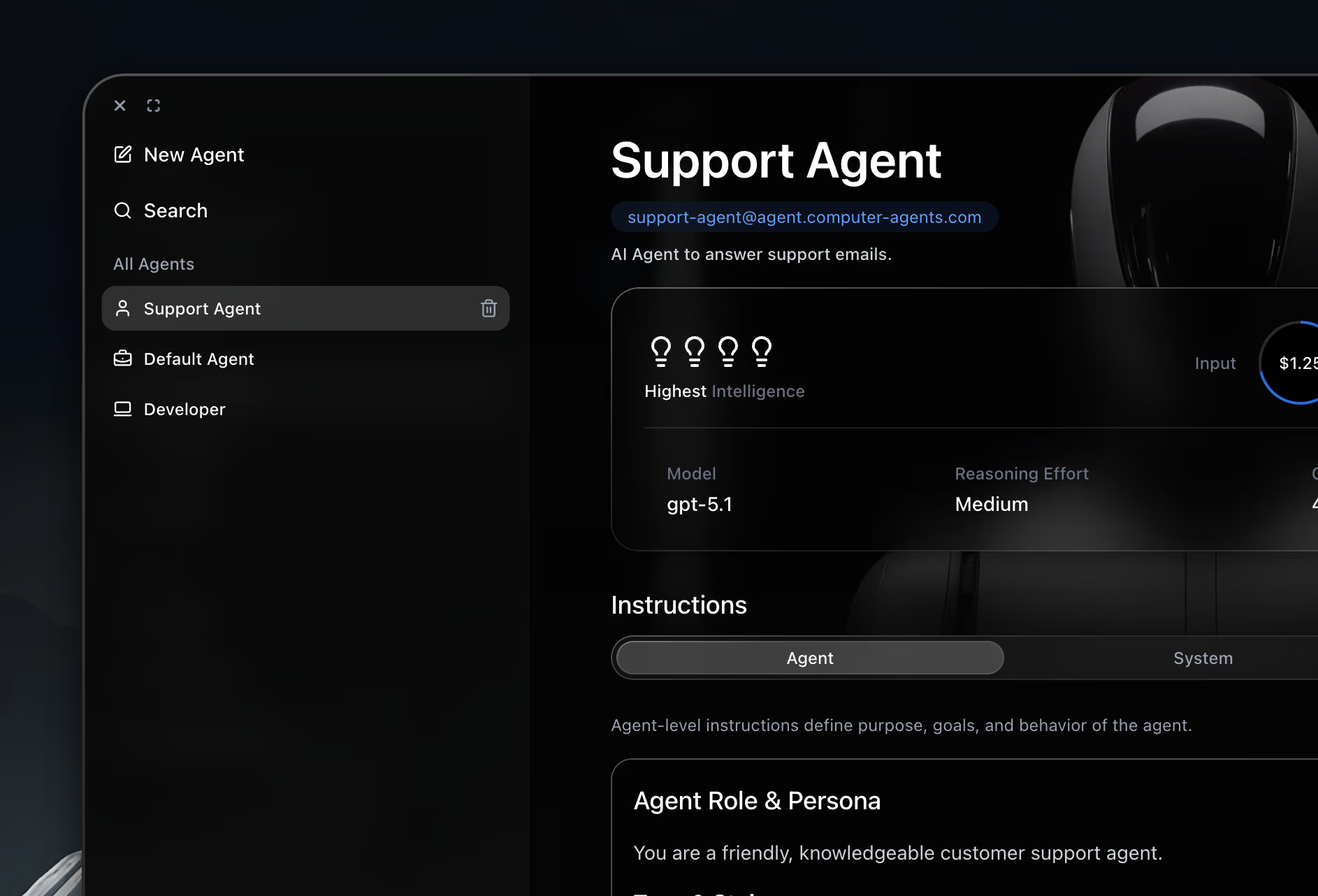
Follow these steps
1. Sign in to aiOS
2. Go to Agents App
3. Click on New Agent on the Sidebar
4. Prompt your Agent