Building a Remote Coding Agent with Computer Agents API
A complete guide to building multi-agent coding systems with automatic session continuity, parallel execution, and cloud infrastructure. Learn how to create agents that write, test, and review code autonomously.
Introduction
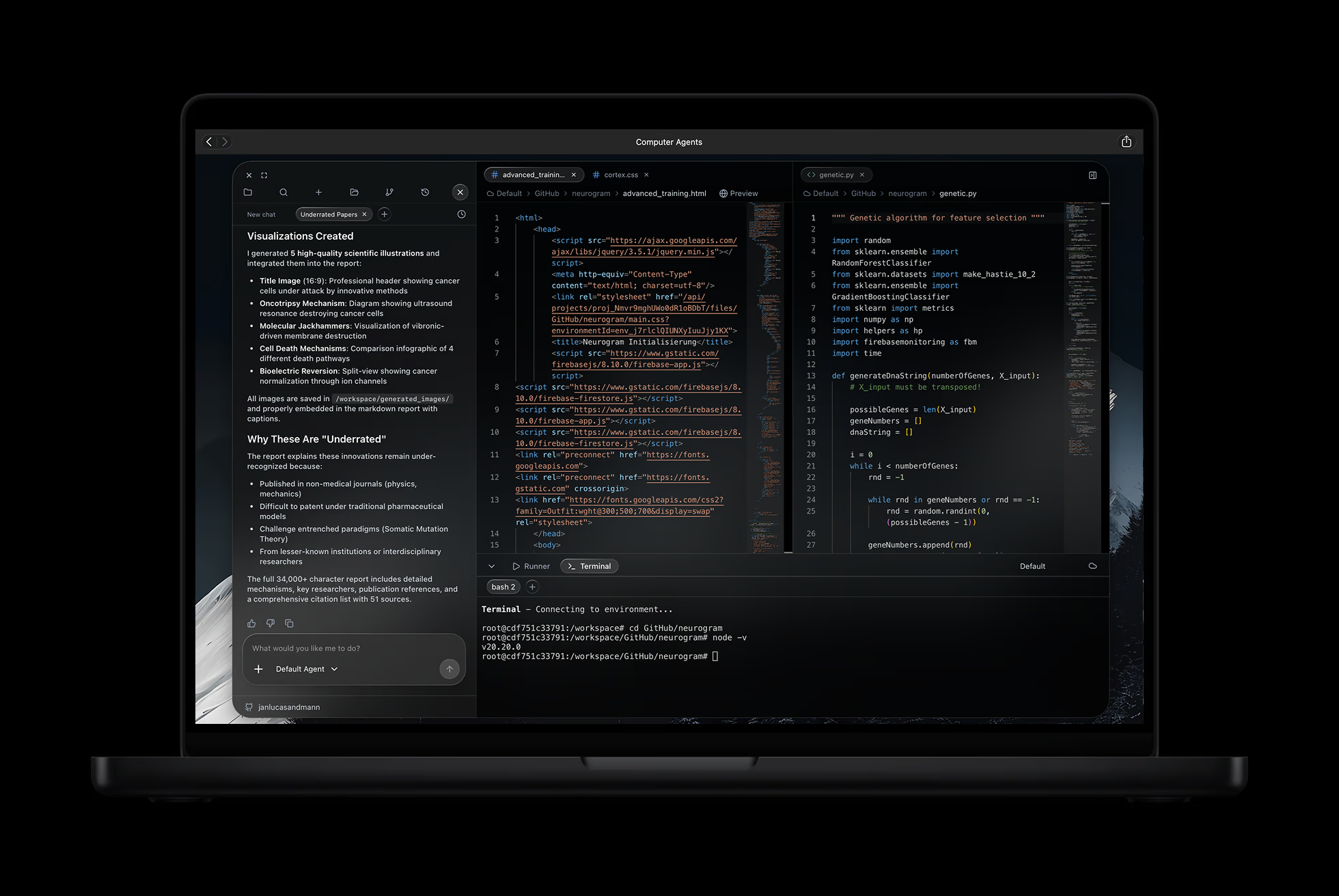
Remote coding agents are transforming how developers work. Instead of manually writing every line of code, you can now describe what you want and let an AI agent implement it - running in isolated cloud containers with full access to terminals, file systems, and development tools.
In this guide, you'll learn how to build powerful coding agents using the Computer Agents API. We'll cover everything from basic setup to advanced patterns like multi-agent workflows and parallel execution.
What makes Computer Agents different:
- Session Continuity - Multi-turn conversations work automatically. Your agent remembers the entire context.
- Cloud Execution - Agents run in isolated containers with full development environments.
- Parallel Execution - Run multiple agents simultaneously (the first framework to support this).
- Simple API - A clean, minimal interface that gets out of your way.
Let's build something.
Installation & Setup
Install the SDK with npm or your preferred package manager:
Environment Variables:
Quick verification:
That's it. Your agent is running in the cloud with full access to a development environment.
Understanding Computer Agents
Computer Agents are AI agents with full access to a development environment. They can:
- Execute code in any language (Python, Node.js, Go, Rust, etc.)
- Create and edit files in the workspace
- Run terminal commands (git, npm, pip, docker, etc.)
- Install dependencies and configure environments
- Read and analyze existing codebases
Creating an agent:
Each agent runs in an isolated container with its own filesystem, network, and process space. This means you can run untrusted code safely.
Your First Coding Agent
Let's create an agent that builds a complete Python calculator:
What happens:
- The SDK creates an isolated execution environment
- Your agent reads the workspace structure
- It writes the calculator module and demo script
- Results are synced back to your local filesystem
The agent has full access to terminals - it can run python, npm, git, or any other command.
Session Continuity: The Killer Feature
The most powerful feature of Computer Agents is automatic session continuity. Your agent maintains context across multiple run() calls without any manual session management.
Why this matters:
- No manual thread IDs to track
- No context lost between interactions
- Natural, iterative development flow
- Just like working with a human teammate
Starting fresh:
Cloud Execution
For production workloads, run your agents in the cloud with the ComputerAgentsClient:
Cloud benefits:
- Isolation - Each agent runs in its own container
- Scalability - Auto-scaling infrastructure handles any load
- Security - No access to your local filesystem or network
- Persistence - Workspaces are saved and can be resumed
- Streaming - Real-time progress via SSE events
Workspace sync: Your local files are automatically uploaded before execution and downloaded after. Changes the agent makes are reflected in your local project.
Multi-Agent Workflows
Build sophisticated workflows by composing multiple agents. Each agent can have different instructions and work on different parts of a project:
Why multi-agent workflows?
- Separation of concerns - Each agent focuses on one area
- Parallel execution - Independent agents can run simultaneously
- Isolated environments - No conflicts between frontend and backend dependencies
- Easier debugging - Issues are contained to specific environments
Parallel Execution
Computer Agents is the first framework to support true parallel computer-use execution. Run multiple agents simultaneously in separate environments:
Use cases for parallel execution:
- A/B testing different approaches simultaneously
- Multi-framework implementations for comparison
- Distributed tasks that don't depend on each other
- Load testing with multiple agent instances
- Competitive coding - race different solutions
Each environment is completely isolated - different Node.js versions, different dependencies, no conflicts.
Streaming Progress
For long-running tasks, stream progress in real-time:
Event types:
message.start- Agent begins processingmessage.delta- Incremental text outputtool.start/tool.complete- Tool execution progressfile.created/file.modified- File system changesmessage.complete- Task finished
This gives you full visibility into what the agent is doing at every moment.
Best Practices
1. Use Descriptive Task Prompts
2. Leverage Session Continuity
3. Handle Errors Gracefully
4. Use Parallel Execution Wisely
5. Stream for Long Tasks
Real-World Example: Full-Stack App
Let's build a complete task management app with multiple environments:
This creates a complete, tested full-stack application through agent collaboration across isolated environments.
Next Steps
You now have everything you need to build powerful coding agents. Here's what to explore next:
Learn More:
- API Reference - Complete HTTP endpoint reference
- GitHub Examples - Working code samples
- Discord Community - Get help and share projects
Advanced Topics:
- MCP Servers - Extend agents with custom tools (databases, APIs, etc.)
- Custom Environments - Configure containers with specific dependencies
- Budget Management - Set spending limits and track usage
- Webhooks - Get notified when tasks complete
Build Something:
- Start with a simple agent that automates a repetitive task
- Add a second agent to review or enhance the first one's work
- Experiment with parallel execution for independent tasks
- Deploy to cloud for production workloads
The best way to learn is to build. Pick a project you've been putting off and let an agent handle it.
Happy coding!
Ready to get started?
Try Computer Agents today and experience the future of AI-powered automation.
Get Started